Loading page
Payment security and account protection
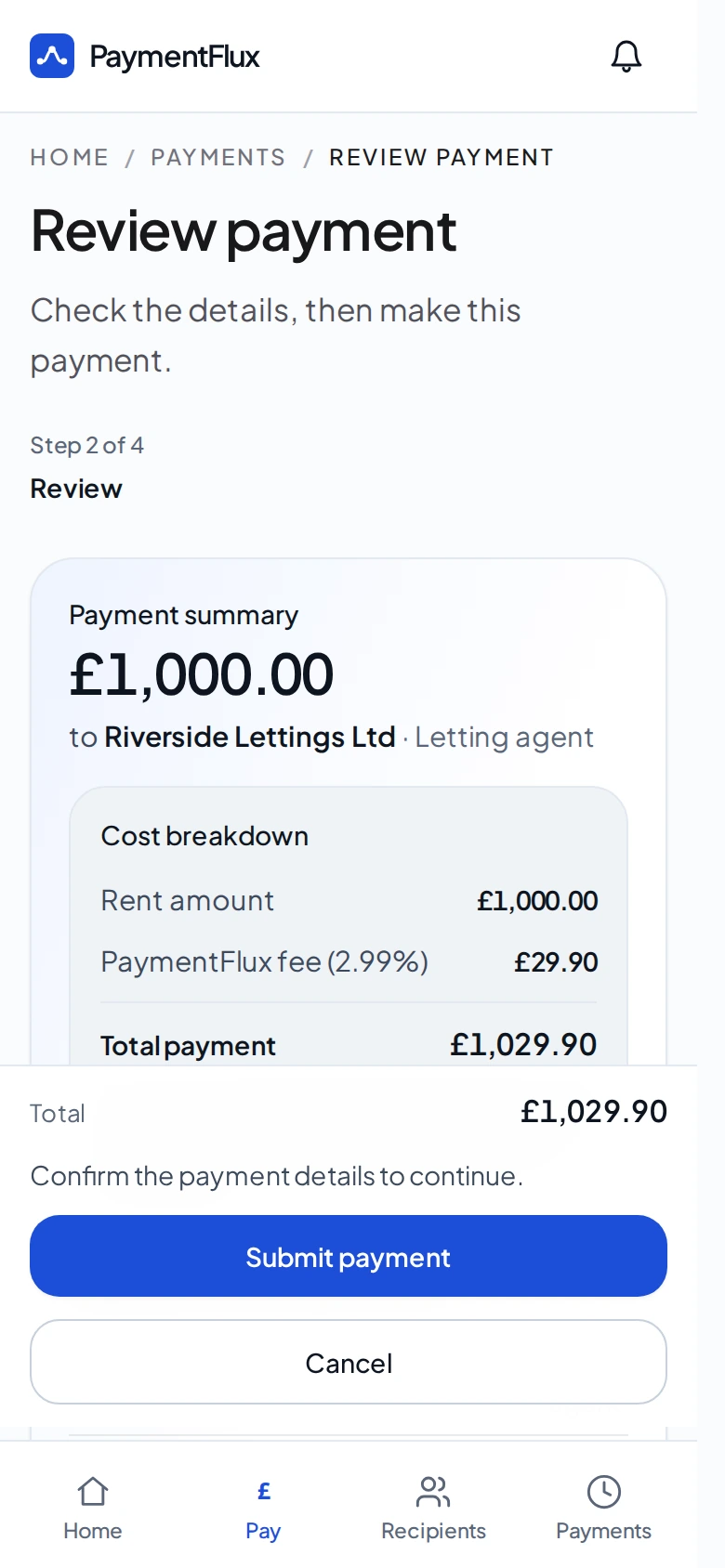
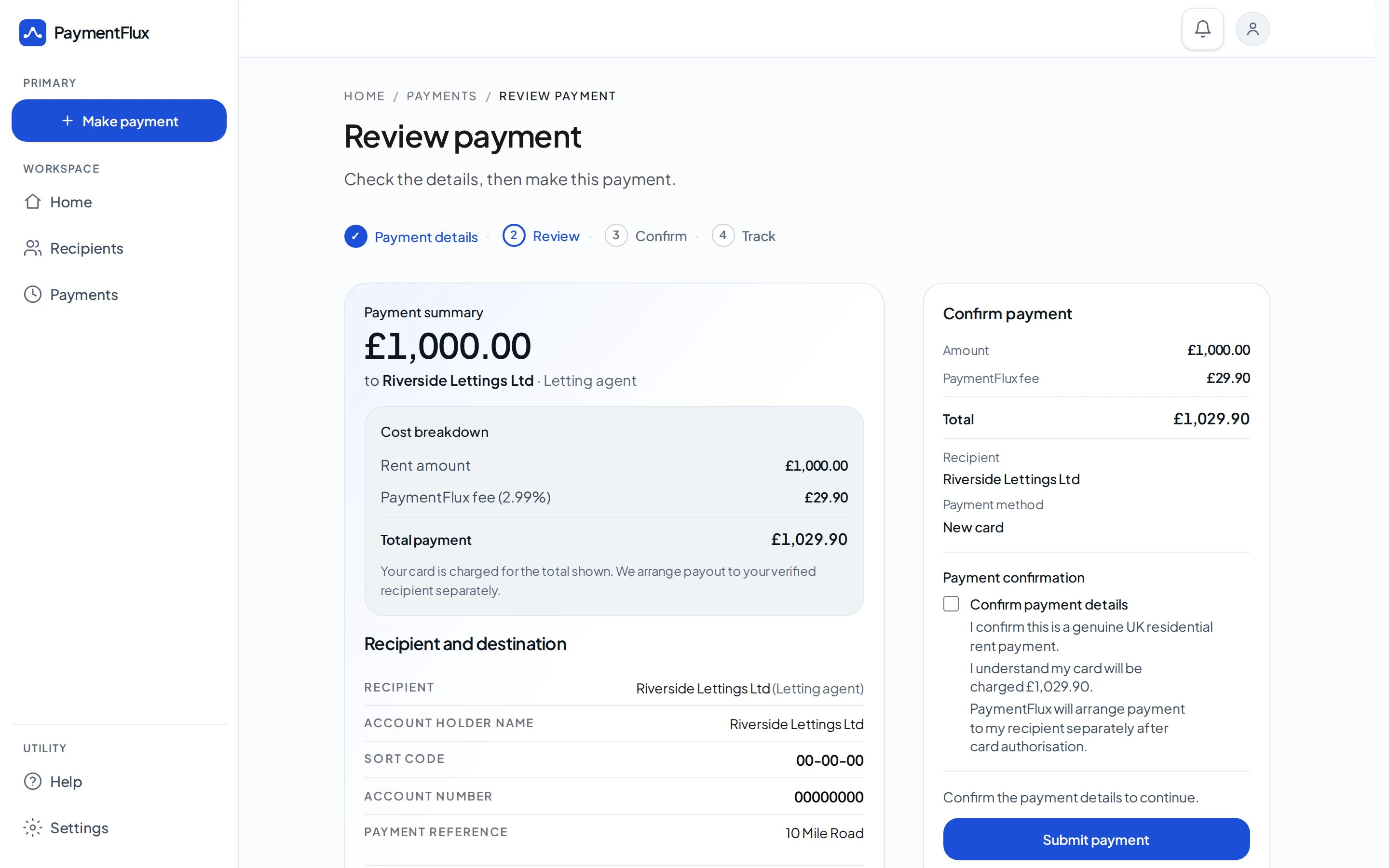
Card payments are processed by Stripe. You can see where the rent is going, the rent amount and the PaymentFlux fee before you confirm.
Know what you’re paying
Who receives the rent
The rent recipient is named on Review Payment.
Amount and fee
The rent, PaymentFlux fee and total you pay are shown together.
You confirm
Nothing is sent until you confirm.
Review Payment, before you confirm.
Protecting your payment
You pay PaymentFlux by debit card, credit card, Apple Pay or Google Pay. Card payments are processed by Stripe. Your rent recipient receives the rent by bank transfer.
Card payments are collected using Stripe. PaymentFlux does not store your full card number or security code. PaymentFlux is not a bank, wallet or stored balance.
Bank security checks
Where your bank requires it, you’ll complete its security check before the card payment is authorised.
You





PaymentFlux
Rent recipient
Receives a bank transfer
Making sure the rent goes to the right place
Before money is sent, you can see the destination and PaymentFlux checks those details.
See who you’re paying
The rent recipient and destination details are visible before you confirm.
Destination details are checked
PaymentFlux checks the recipient bank details before money is sent. This can include Confirmation of Payee.
Checks around the payment
PaymentFlux uses checks around live payments to help keep the payment process secure.
Identity verification
You may need to confirm your identity before making a live payment.
Payment screening
Payments are screened for risk before funds are sent.
Protecting your account
Sign in with Google or email. Extra protection is available if you want it.
Google sign-in
You can create an account and sign in with Google.
Email verification
We email you a link to verify your address before you continue setup.
Two-factor authentication
Two-factor authentication is available for extra account protection. You can turn it on with an authenticator app.
Password reset
If you forget your password, you can reset it using a link we email you.
After you pay
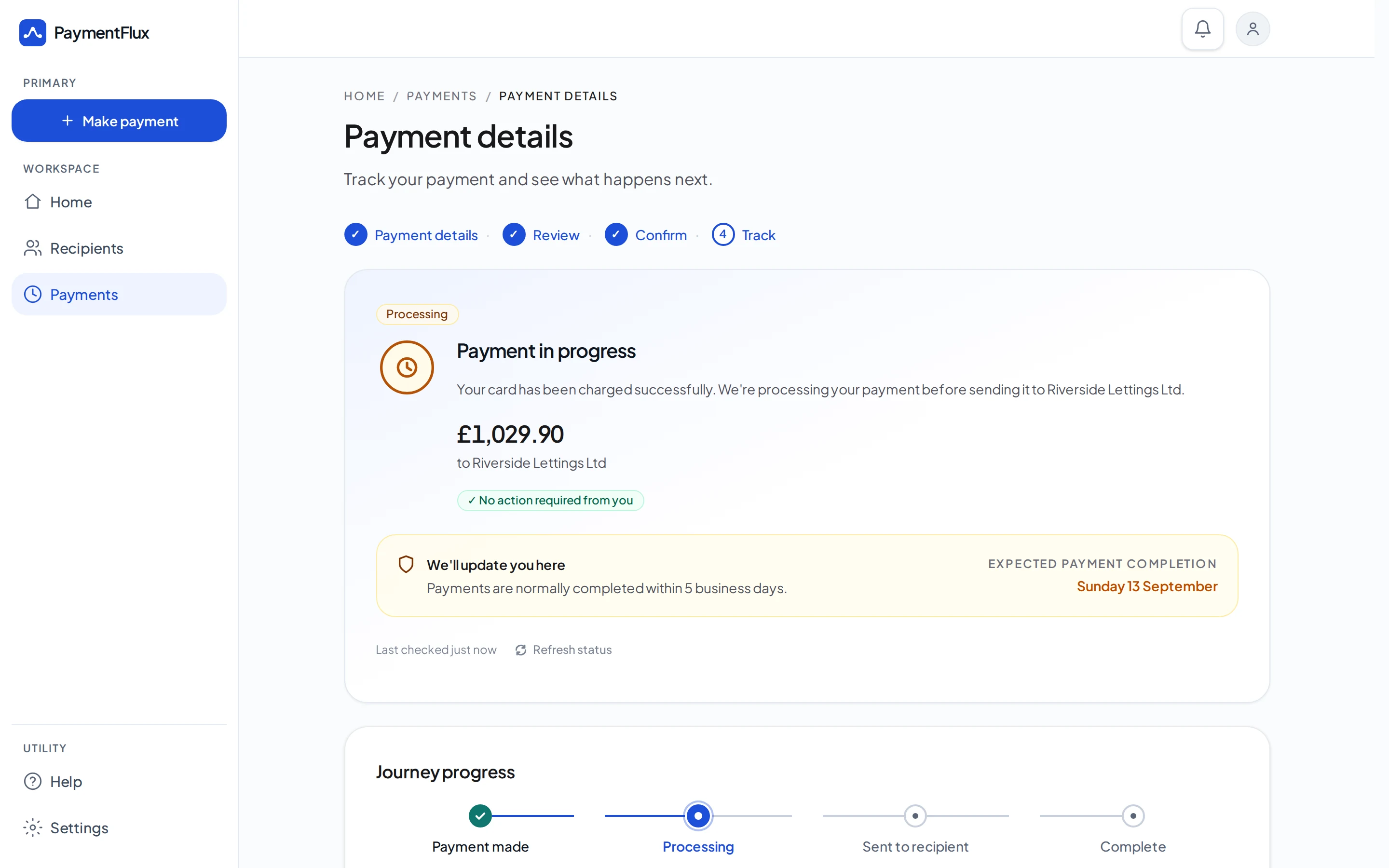
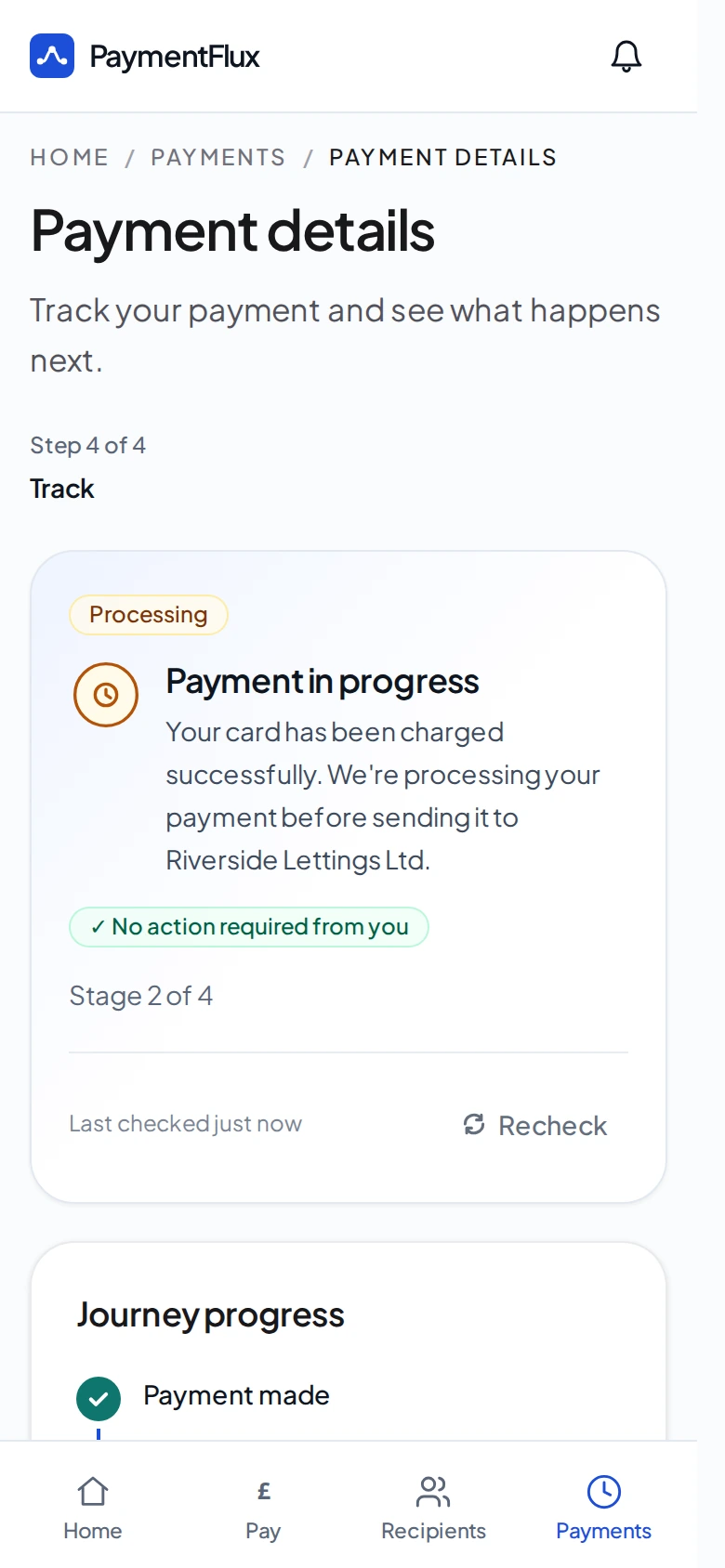
After you confirm, you can follow your payment through processing to the recipient. A successful card payment alone does not mean the payment is complete through PaymentFlux. A payment is treated as complete only once the transfer to the Recipient has been successfully executed. Payments are usually processed to completion within 5 business days.
Need help with a payment?
If something looks wrong, or you need support with a payment, use the help routes below.